
Searching Stearns County Civil Dockets
Minnesota Court Records Online Case Search, known as MCRO, is the main remote route into a Stearns civil Register of Actions. Pick the Civil category and Stearns County first. From there, search by party or business name, case number, attorney, filing date, or status, which keeps a Stearns County civil search tied to the local court record. A known case number is the cleanest path. Party-name searching takes more care, since similar names and separate civil categories can scatter across results.
Once a Stearns County result opens, read Case Details and the Register of Actions in date order. The case page can identify the parties, filed papers, public documents, hearings, orders, judgment information, and related case links. Remember what MCRO is not. It is a lookup tool, not a filing system. Registered filers use Minnesota Judicial Branch eFile and eServe, called eFS. That does not replace the public civil docket search.
- Open MCRO Case Search and accept the public-access terms.
- Choose the Civil category and select Stearns in the county controls.
- Search by the full case number when known, or use the narrowest party, business, attorney, date, and status details available.
- Open the matching Case Details page and read the Stearns Register of Actions from the first filing through the latest event.
- Use Document Search for a known case number, Judgment Search for a docketed money judgment, or Court Administration for a public record not available online.
A civil label sorts the case in the court system, and nothing more.
Stearns County Civil Docket Case Routes
The Stearns County civil case pattern is 73-CV-26-####. Here 73 is the county code. CV marks the civil category, and 26 is the two-digit year. Other Stearns County District Court routes carry different category codes. FA appears in family material, CO in conciliation material, and PR in probate-related material. These labels help sort a Stearns County result. Still, a case number alone should not be used to infer every document or access level in a file.
MCRO Document Search works best with a known Stearns County case number. It retrieves only public documents available remotely. It can lead back to Case Details. A missing document can mean several things. The item may be restricted, fall outside the remote date or category rules, or have not been digitized. Some papers need a Stearns County courthouse or Court Administration route. When the number is unknown, start with Case Search instead.
The official Document Search screen below shows the known-number requirement. Enter the exact Stearns number. Then compare the returned document list with the Register of Actions.
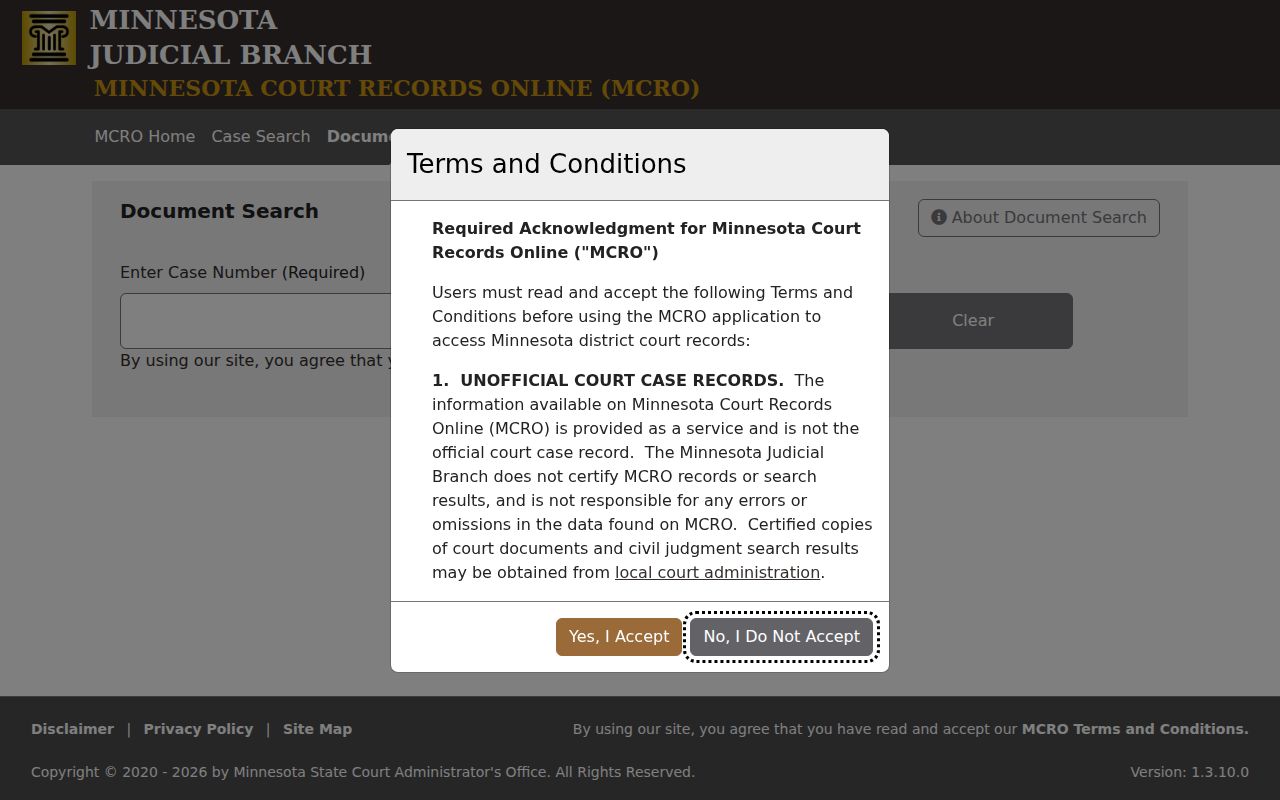
A public document listed in MCRO is free to view when remotely available. An item absent from that list may still have a different public-access path.
Inside a Stearns County Civil Docket
A Stearns County civil Register of Actions is a chronology, not a single judgment page. It usually opens with a complaint or petition. The filing date and case opening come next. Later Stearns County entries may show more: summons or service, an answer or other response, motions, scheduling activity, hearings, trial settings, orders, judgment, costs, satisfaction, and appeal information. Party roles matter too. Plaintiff and defendant, or petitioner and respondent, describe the two sides of the civil case.
Read each Stearns County event with its date and context. A scheduling conference can organize deadlines without deciding the case. A motion entry can show a request was filed or heard. The full ruling may not appear there. It can wait for later Stearns County entries. A public document link may be available for an eligible filing. Exhibits and protected records have separate limits.
| Case number | The Stearns identifier, such as 73-CV-26-####, and its category route. |
|---|---|
| Parties and roles | Stearns County plaintiff/defendant, petitioner/respondent, or claimant/respondent roles. |
| Opening papers | Stearns County complaint or petition, filing date, service, and responsive pleading entries. |
| Case activity | Stearns County motions, hearings, scheduling conference, trial setting, order, and related-case information. |
| Judgment fields | Stearns County judgment, costs, payment, satisfaction, or appeal entries when they apply. |
Stearns County Civil Docket Conciliation
Stearns County Conciliation Court is the small-claims division of Minnesota District Court. It is not a separate county court. A Conciliation Hearing label appears in the Stearns County calendar material, and a conciliation case sits inside the District Court record structure. That distinction matters. It matters when a civil searcher expects a distinct small-claims portal. The location, case number, Register of Actions, and public-access rules all stay with the Stearns County District Court system.
The statewide fee search lists a $65 conciliation first-paper fee. Confirm the current claim limit too. Related procedural rules appear on the official court form or rule. Check those before relying on them. A low-dollar Stearns County civil route does not make every filed document remotely available. The same public-access limits apply to a Stearns County conciliation record.
| Stearns route | Typical register focus | Search path |
|---|---|---|
| CV civil | Stearns County complaint, service, motions, hearings, judgment | MCRO Civil plus Stearns |
| CO conciliation | Stearns County claim, Conciliation Hearing, order or judgment | MCRO District Court route |
| FA family | Stearns County petition, court-generated entries, orders | MCRO with narrower document access |
| PR probate | Stearns County petition, notices, orders, related filings | MCRO when the record is public |
Civil Case Types on the Docket
Civil is not the only track at Stearns County District Court. Family, probate, and trust matters have their own routes. So do guardianship, conservatorship, conciliation, juvenile, and mental-health cases. Each category carries its own access rules. When you search a Stearns County court docket, keep the category and party role exactly as the record lists them. Small changes can shift your results. The entries you expect and the documents open remotely can change too. Public civil files cover claims, property, orders, and judgments. Family and juvenile files need extra care, because their remote documents are not exposed like ordinary major or minor civil documents. The label tells you where to continue. The Stearns County Register of Actions supplies the detail. It carries the actual chronology.
- Major or minor civil matters with complaint, answer, motion, and judgment activity.
- Conciliation cases, which are small-claims matters within District Court.
- Family cases, often using petitioner and respondent roles.
- Probate, guardianship, conservatorship, and trust records with their related category routes.
- Eviction and expungement filings that have their own fee and access considerations.
Stearns County Civil Docket Judgment Search
A judgment hit is not a stand-in for the Stearns County civil case chronology. MCRO Judgment Search works differently. It offers debtor controls for a person or a business, plus docketed-date filters, status choices, and county selection. Pick Stearns County. Check the docketed date, status, and satisfaction details. Turn to Case Search when you need the full Stearns County Register of Actions, pleadings, hearings, or related filing history. The status view runs on All, Active, or Inactive. Satisfaction information matters, because a recorded judgment and a satisfied judgment are not the same thing. This view targets docketed money judgments. Not every order or full case appears here. Check the actual Stearns County court record before treating a result as final or ordering a copy.
The official Judgment Search interface shows the separate debtor, date, status, and county controls, which sets a focused judgment lookup apart from a Stearns civil case search.
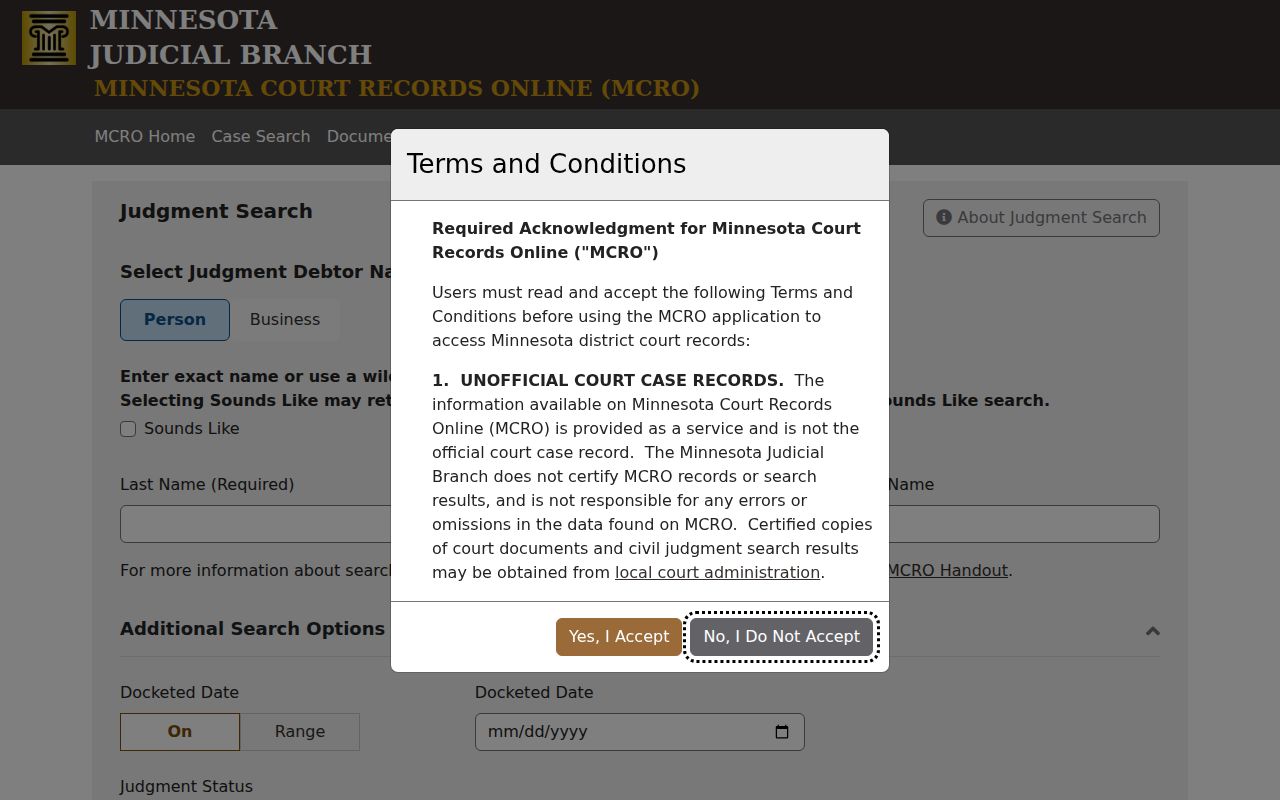
Open the matching Stearns County case details next. That step restores the filing and hearing chronology the judgment search leaves out.
- Complaint
- An initiating civil pleading that opens a claim-based case.
- Service
- A Register entry concerning notice or delivery of court papers.
- Judgment
- An enforceable court decision or amount when the record identifies one.
- Satisfaction
- A Register entry indicating that a judgment was paid, released, or otherwise satisfied.
Civil Docket Settings and Hearings
Stearns County civil dockets carry many hearing types. A scheduling conference may appear. So may a motion hearing, a Conciliation Hearing, a court trial, a jury trial setting, a review hearing, or another court event. The Register of Actions gives the running history. The daily calendar supplies a same-day scheduling view. A listing is not proof. It does not show that a hearing occurred or produced an order, and later entries may reveal a moved date or a new step that changes what comes next.
Start with MCRO Hearing Search. A case number or name search confirms the Stearns County civil court date. Then check the Stearns County daily court calendar and current courtroom assignments. Civil, family, juvenile, and jury functions sit at 725 Courthouse Square, St. Cloud, MN 56303, and Court Administration resolves missing or conflicting entries at 320-656-3620. One caution: the daily calendar omits confidential or non-remotely accessible matters and can change after posting.
Stearns County Civil Docket Fee Rows
Statewide District Court fee rows sort Stearns County civil filings into several types. A civil first paper, an eviction filing, or an expungement filing runs $310. A motion or jury fee is $100. Those are statewide rows, though, not a promise of your final Stearns County charge. The fee finder asks for a county selection. The statewide rows show no Stearns County law-library add-on. Confirm the current total before you file or pay. A Stearns County filing fee is different from a request for a court copy. MCRO documents are free when available to the public. Plain copies generally cost nothing, and certified copies generally run $14 per document. Exemplified copies and other options appear there too. Court Administration can explain whether a Stearns County document is available remotely, at MNPAC, at the counter, by mail, or through an eFS request in a known case.
| Statewide fee row inspected | Amount | Stearns check |
|---|---|---|
| Civil first paper | $310 | Verify county-specific add-on. |
| Motion or jury fee | $100 | Confirm the current category. |
| Conciliation first paper | $65 | Confirm current procedure and limits. |
| Certified copy | Generally $14 | Ask Court Administration about local handling. |
The official copy-request guidance sorts plain, certified, exemplified, online, in-person, mail, and eFS routes. It does not quote a local Stearns County fee.
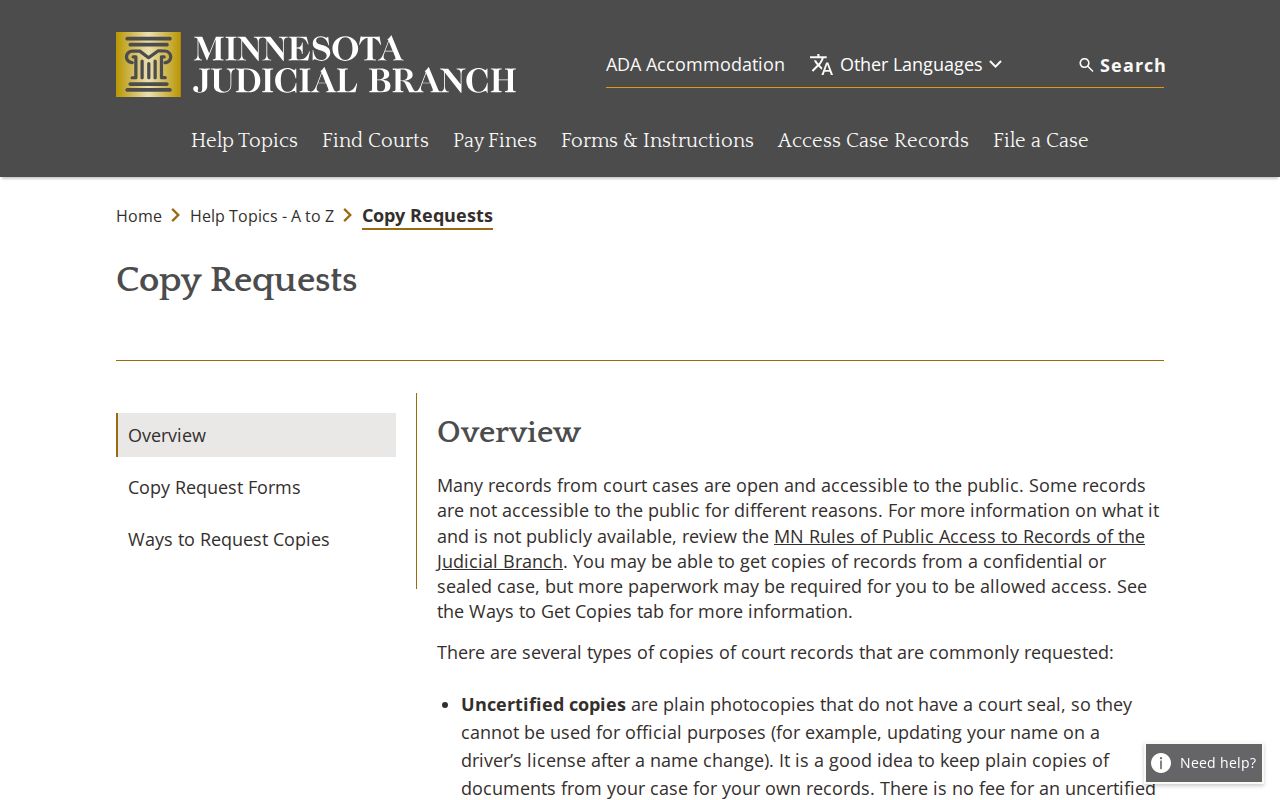
Start with the case number. Then supply the parties and their roles, the document or event, the copy type, quantity, delivery information, and the payment details Stearns County Court Administration requests.
Civil Docket Access Rules
Minnesota Rule of Public Access 8 governs how the public inspects and copies Stearns County records. It also sets the limited remote access MCRO provides. Major and minor civil documents filed on or after July 1, 2015 generally fall within the remote categories when public. Not every case event carries an online document, though. Family party-submitted documents, exhibits, restricted identifiers, sealed records, and confidential categories face narrower or no remote access.
Public civil access in Stearns County has three layers. MCRO serves the online layer. MNPAC terminals work at the Stearns County courthouse, and Court Administration rounds out access with its copy and inspection route. Court Administration handles civil records at 725 Courthouse Square, St. Cloud, MN 56303. You can inspect public originals during regular hours. You can also request plain or certified copies in person, mail a request with payment, or use eFS in a known case where it applies. Nonparties using eFS need one thing first. Ask Court Administration for an administrative file number.
Key Rules:
Rule 8 defines public court-record inspection, copies, and remote electronic access.
General Rule 11 protects restricted identifiers and provides a correction process for misfiled information.
Rule 4 gives domestic-abuse and other listed records special access treatment.
Juvenile Rule 8.04 covers confidential juvenile-protection information.
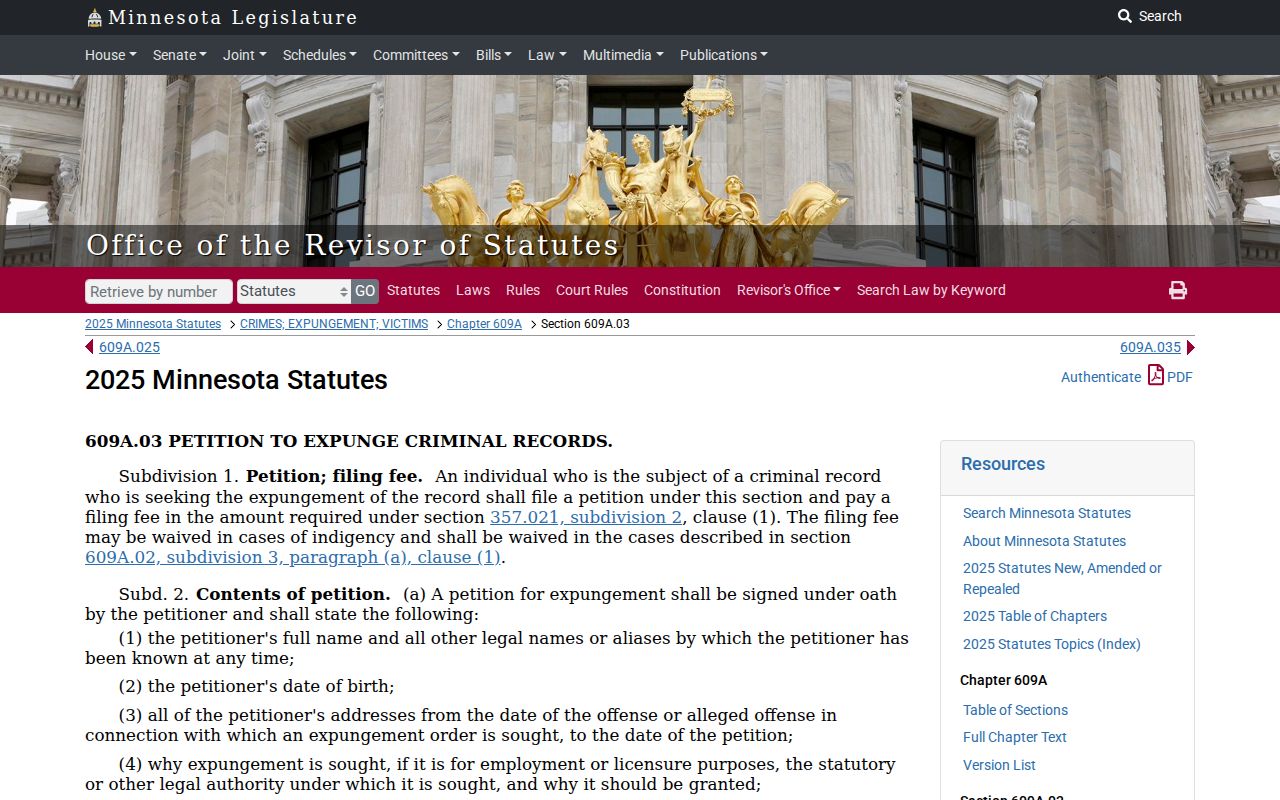
Minnesota Statute §609A.03 supplies the expungement and sealing procedure.
A Stearns County public record can exist on paper at the courthouse even when the remote system shows nothing. The official Rule 8 record spells out that access rule.
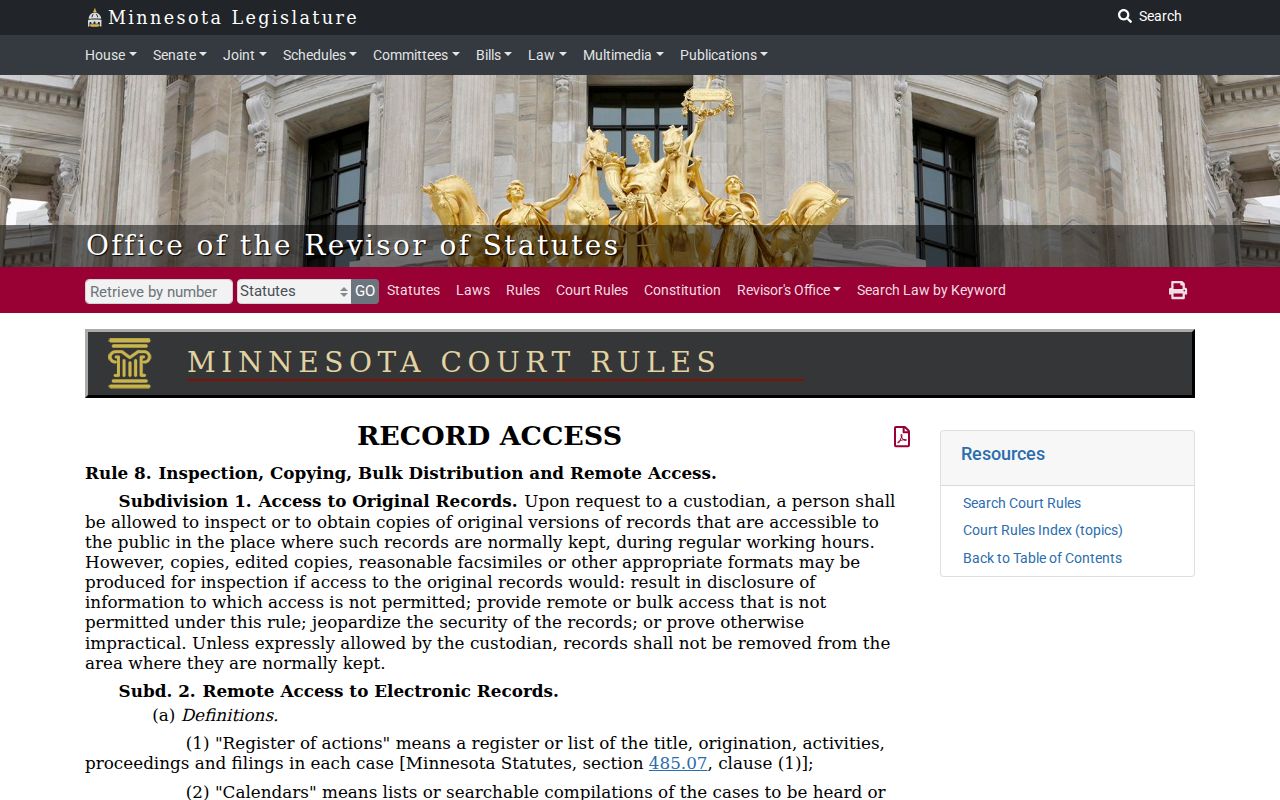
Before concluding a document is gone from the Stearns County civil court record, check with Court Administration. Staff can tell you which public-access channel applies when MCRO comes up empty.
Stearns County Civil Docket Documents
A Stearns County civil file may list its Register of Actions in public view. Many papers stay off the remote copy. Court-generated family documents and party-filed ones get different remote treatment. Exhibits from a trial or hearing rarely appear as normal MCRO document results. Older Stearns County court records often sit in local storage instead. That is why MNPAC matters. A trip to the counter matters too. Both help once you know the case but the docket view falls short.
Sealed matters go through a separate confidential-record or judicial process. Minnesota's expungement law governs petitions and orders. A petition can close a record to the public. It may still keep access for named agencies. Sealing is not destruction. Stearns County Court Administration can point you to the right request route. No single county office receives every confidential form.
The official expungement statute is the controlling text for that sealing process. It stays separate from an ordinary Stearns County civil document search.
Stearns County Civil Docket Documents: Some records stay off the web. When a Stearns County case does not appear online, contact Stearns County Court Administration directly. Give the clerk your case number and name the exact documents you want, since a broad request will not get you the right filing.